About the project
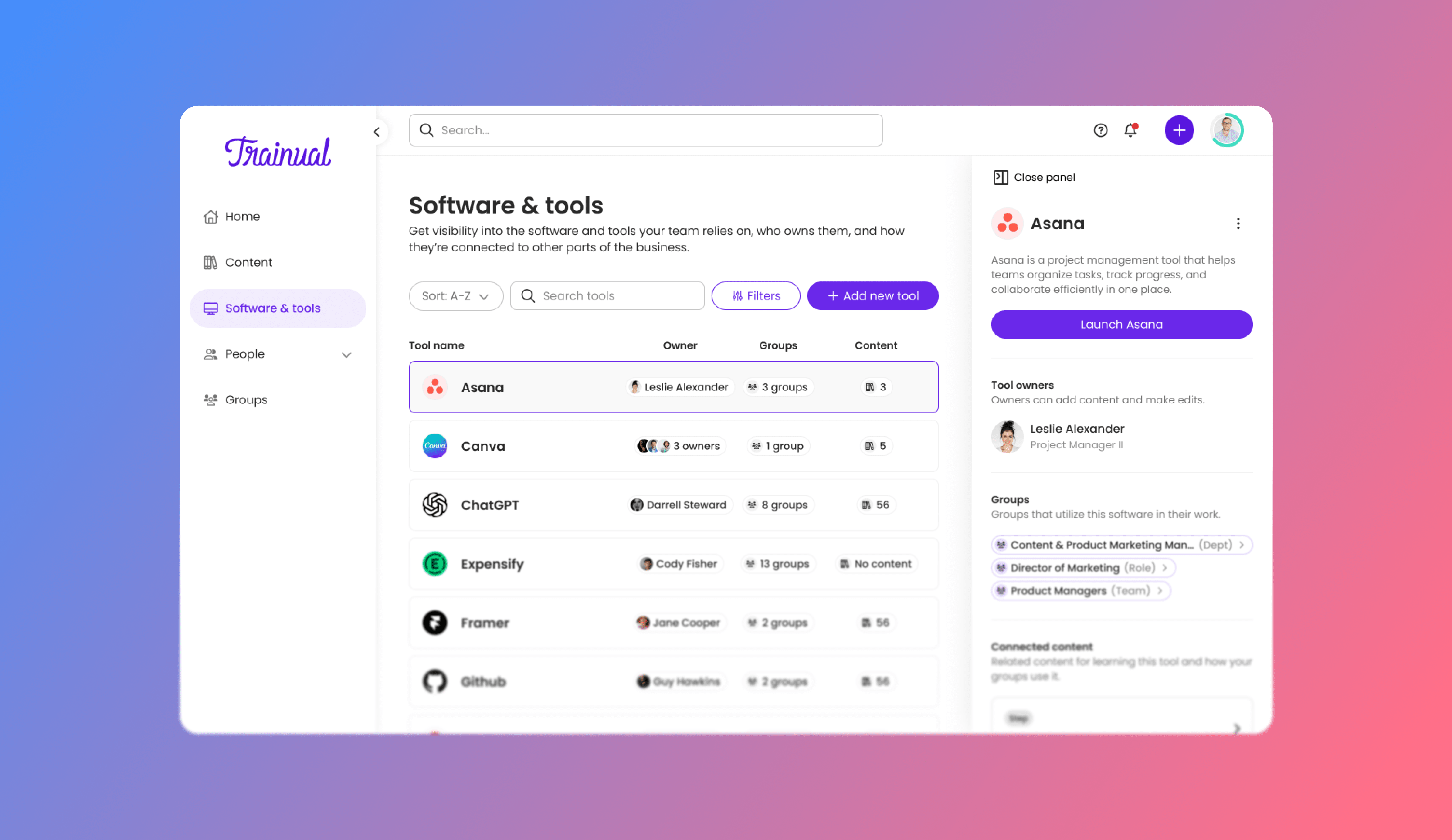
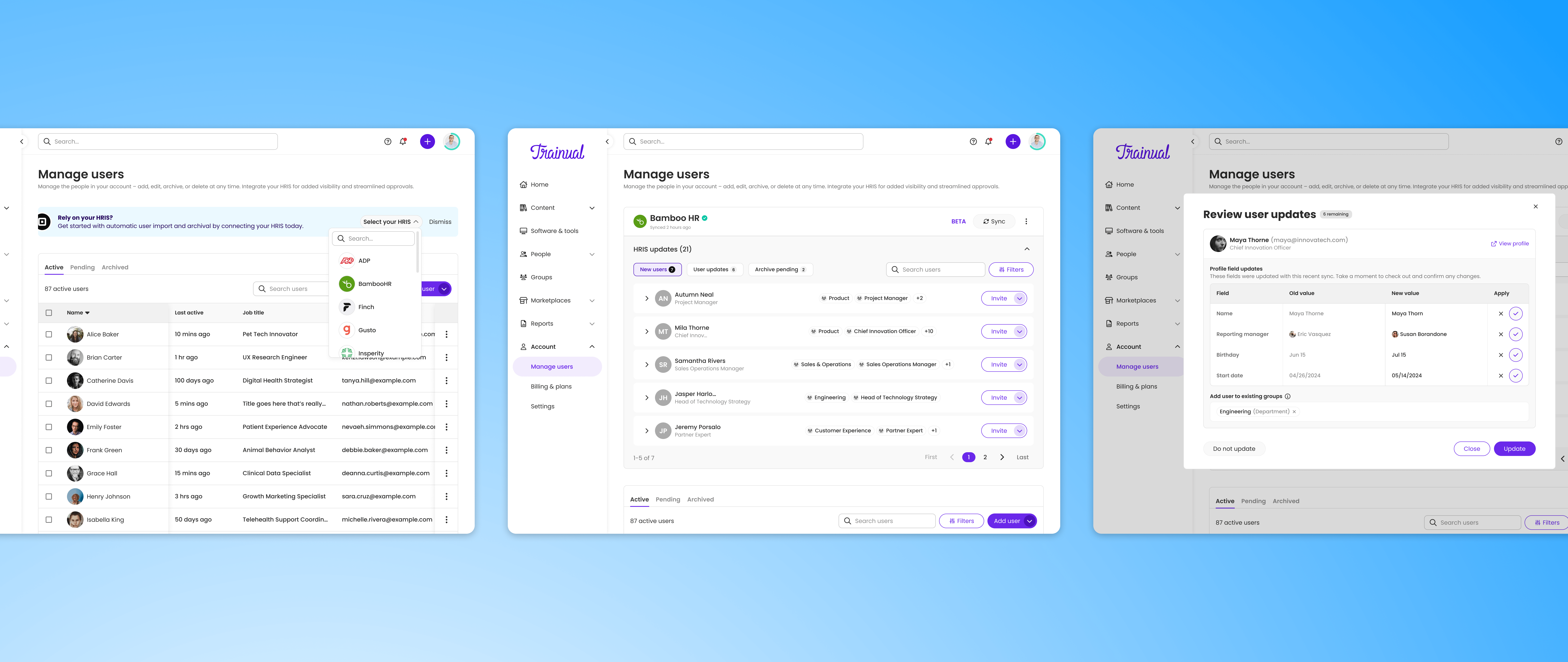
Trainual's existing HRIS integration had quietly stopped working. It had been set up years earlier as a basic pull, overwriting user data with whatever came in from the HRIS, with no admin review, no visibility into what changed, and no way to control what came through. Customers who had it enabled were getting nothing. Those who didn't were manually updating the same employee data in two systems every time someone was hired, changed roles, or left the company.
Leadership recognized this wasn't just a bug fix. It was an opportunity to build something Trainual could actually stand behind.
A broken promise at scale
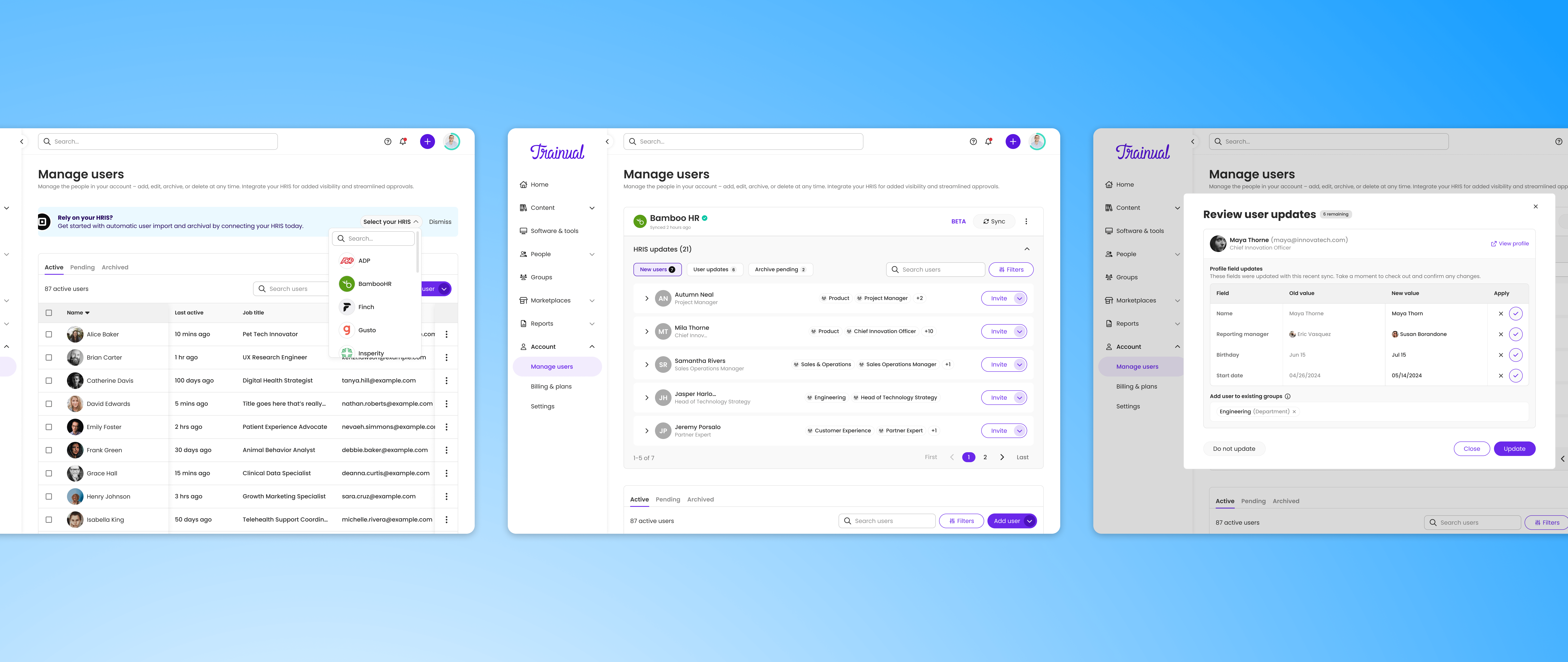
The original HRIS connection wasn't designed to scale with how customers actually used Trainual. It pulled data in and overwrote whatever was there, no confirmation, no approval, no visibility. By the time we started this project, it had broken entirely.
- Admins were doing the same work twice: every hire, name change, or termination required manual updates in both systems
- There was no validation layer: a job title update could silently reassign training content, an accidental archive could cut off access
- The product promised a capability it couldn't deliver, eroding trust in a core platform feature
A phased, deliberate rebuild
I was the sole designer on this project, part of Trainual's Partnerships squad. The approach from the start was phased, not for its own sake, but because the scope of true HRIS integration revealed itself slowly. Each phase stood on its own as meaningful improvement.
Discovery & framing
Before any design work, I worked with our CX team to understand what customers actually experienced when their HRIS and Trainual data diverged. The signal was consistent: admins weren't frustrated that sync was broken technically; they were frustrated they couldn't trust their data.
That framing shaped everything. The goal wasn't just to make sync work again; it was to give admins confidence: a clear view of what was happening, the ability to control it, and a safety net to approve or deny changes before they took effect.
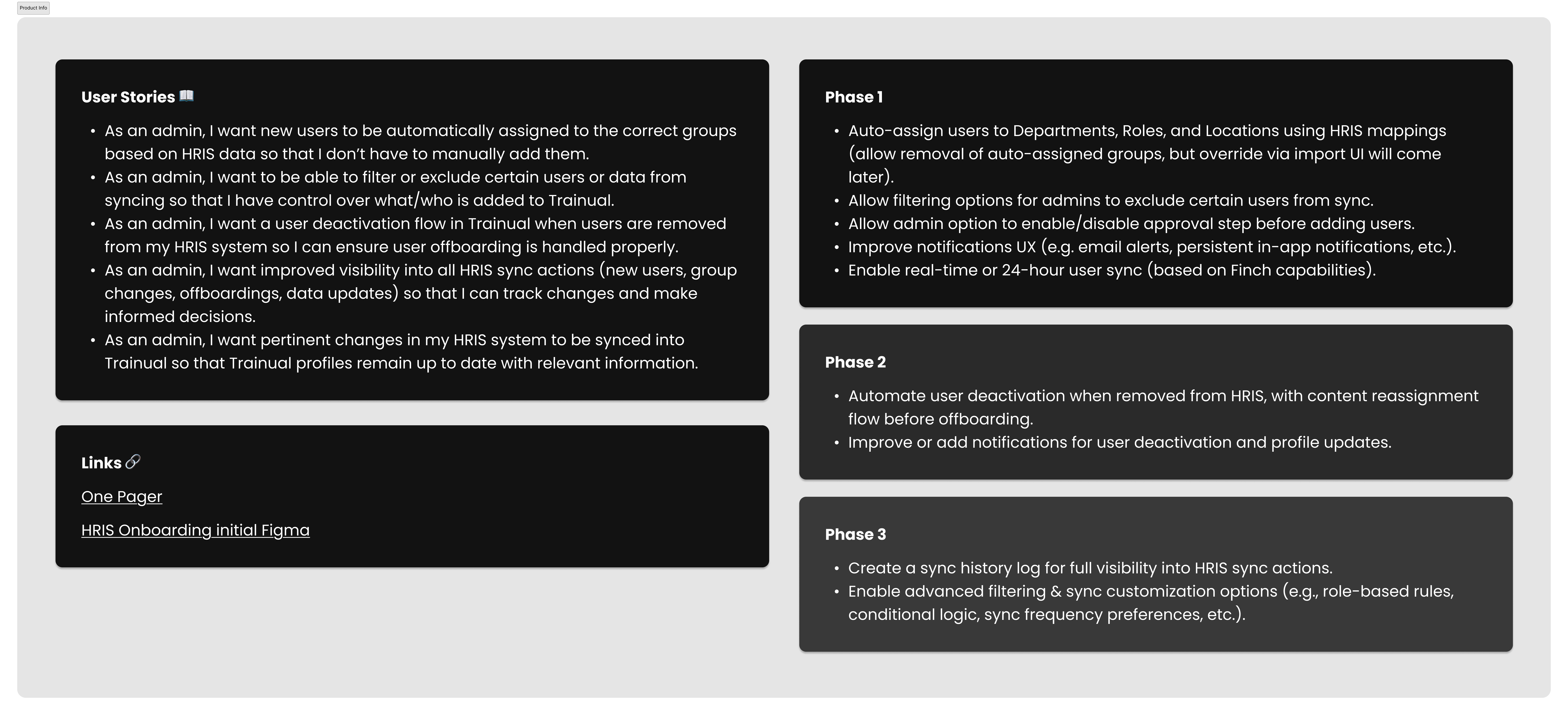
User story & phase requirements
Early explorations used a traditional table layout, a natural instinct for tabular data. But tables made it hard to communicate what changed versus what stayed the same. I moved toward a compact row-based structure with inline editing and contextual callouts for incoming changes.
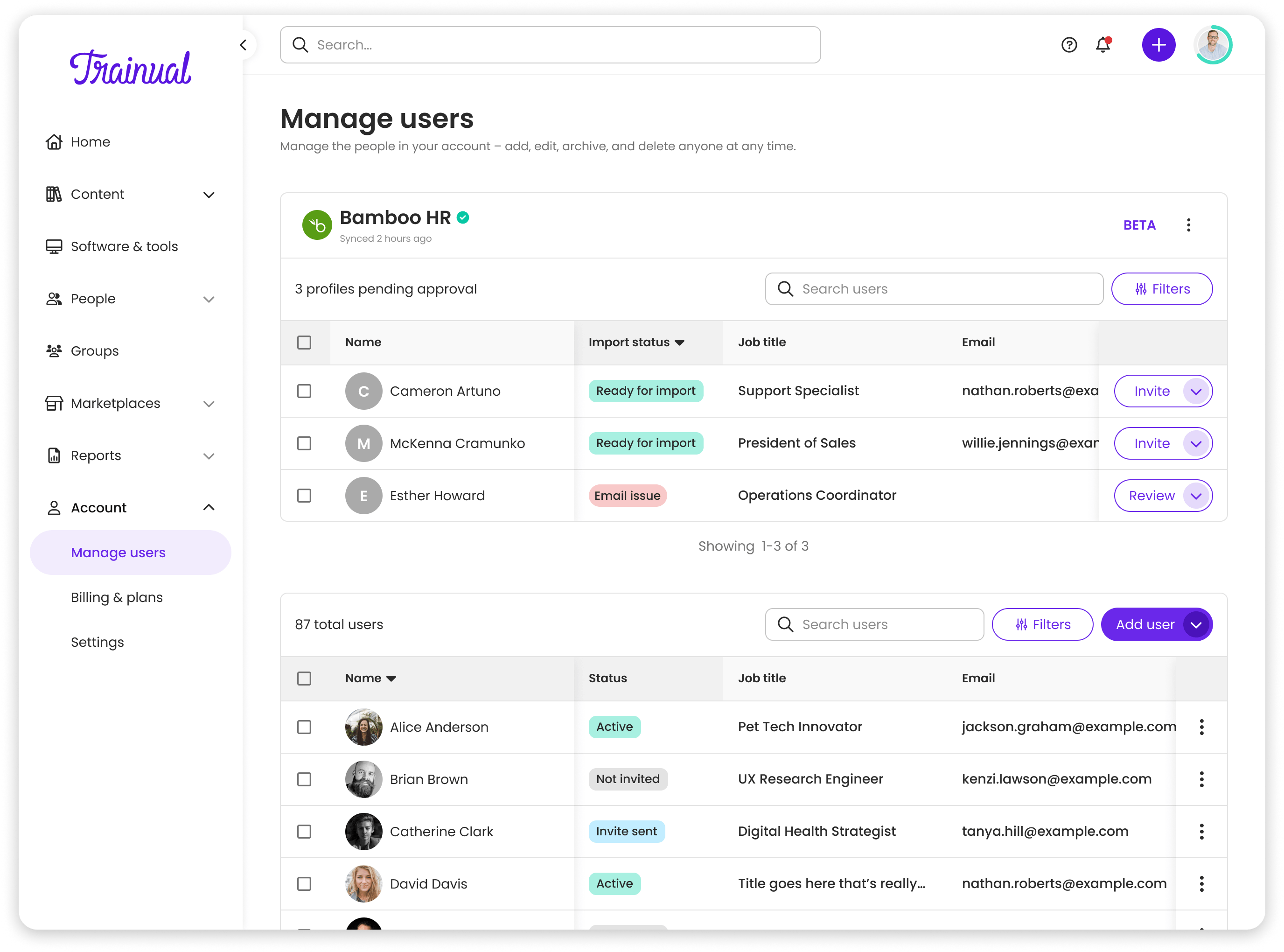
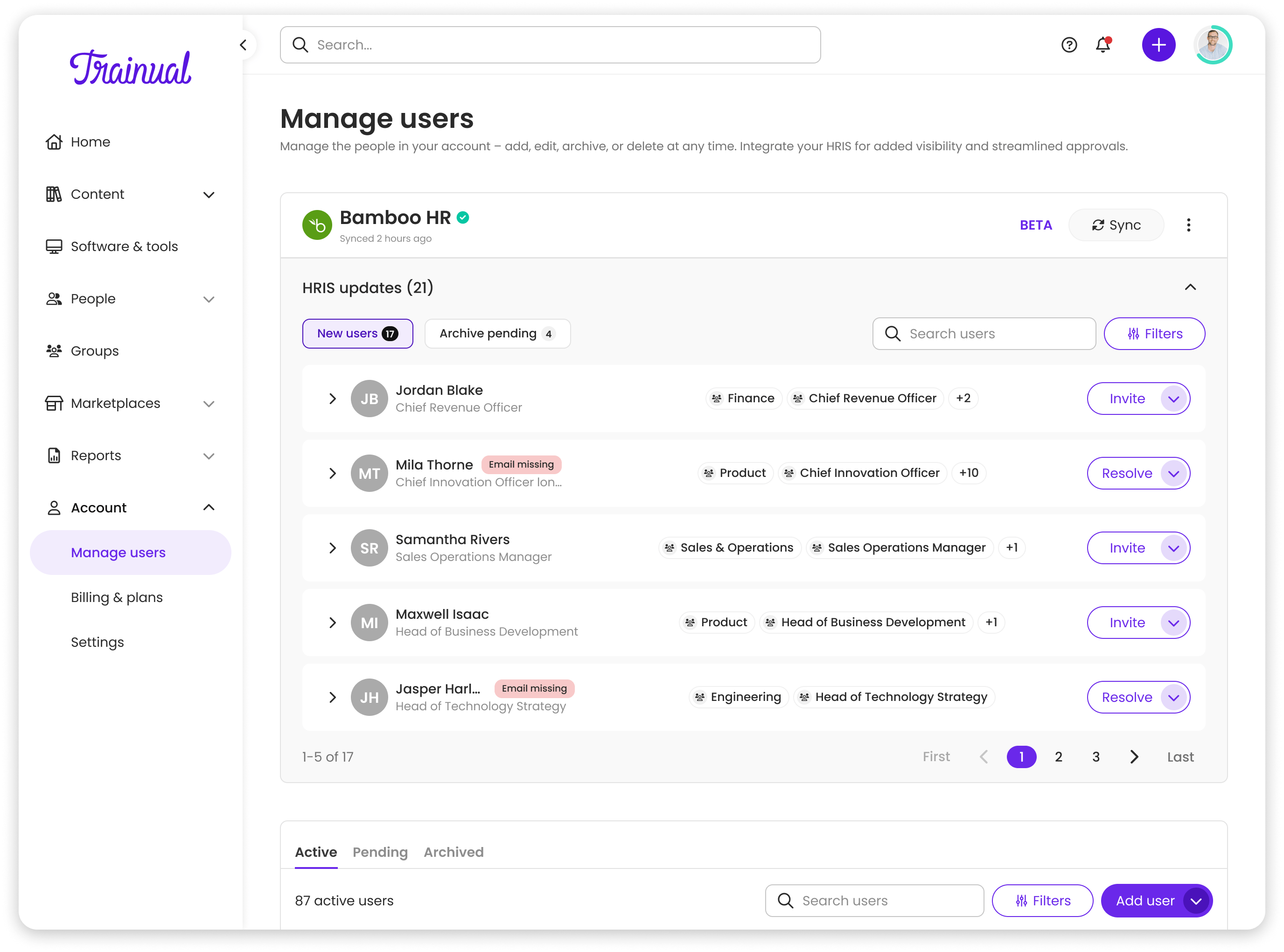
Phase 0 table vs Phase 1 rows
A complete system
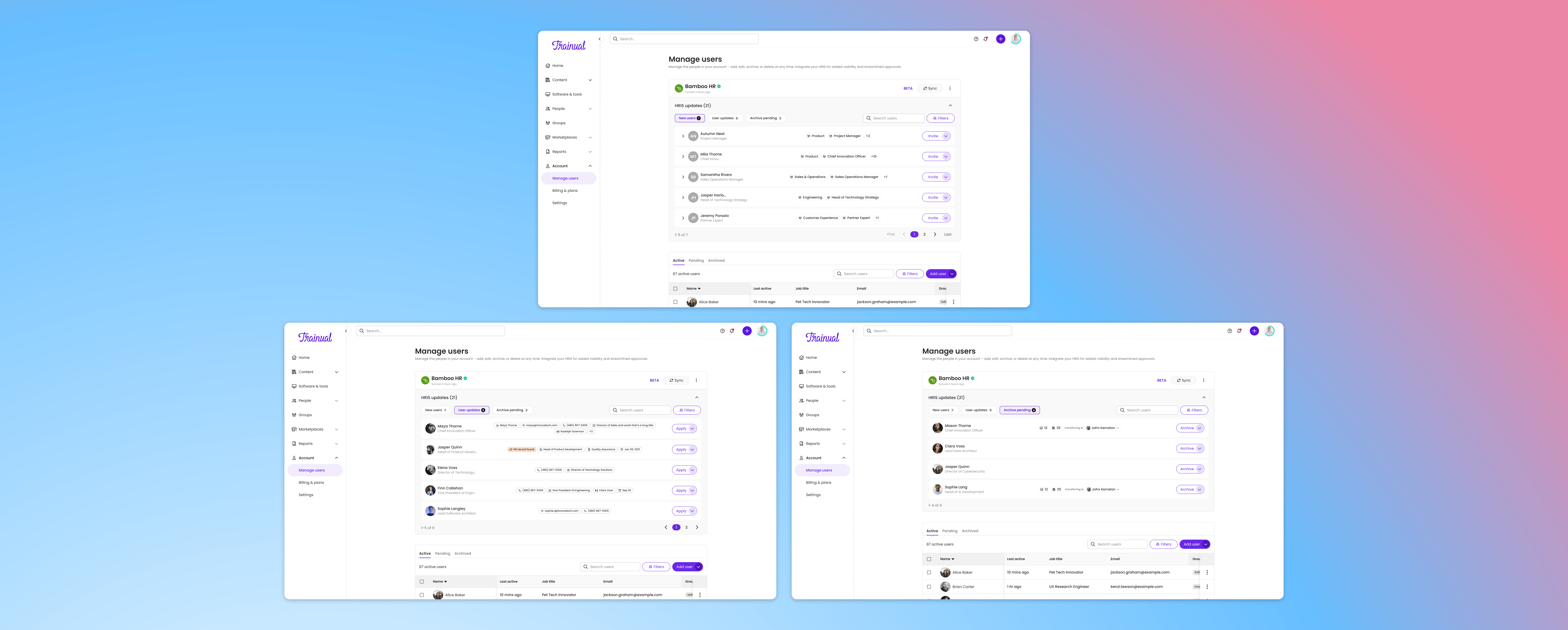
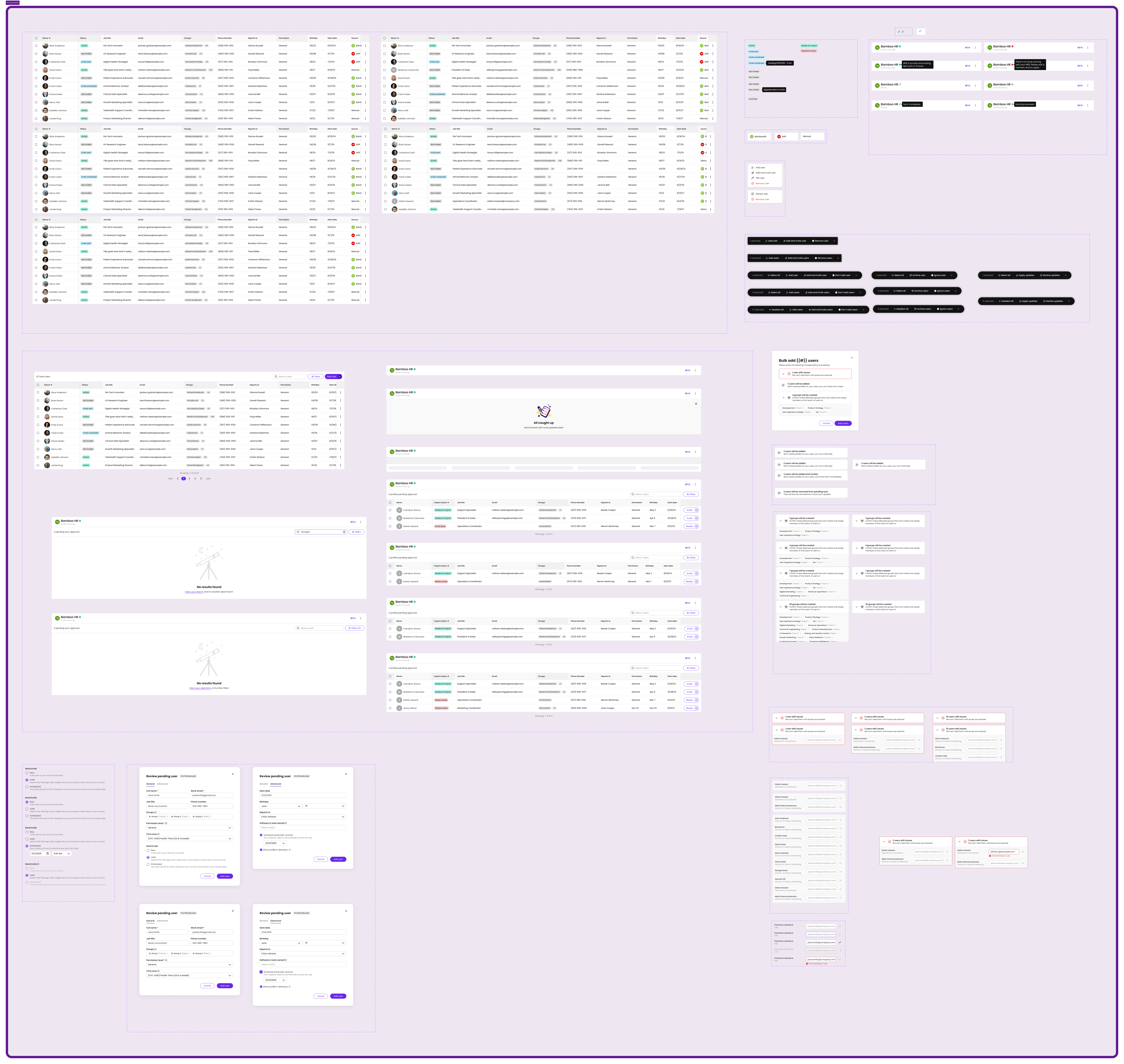
Phase 0 was about getting back to zero before getting ahead. We rebuilt the connection setup, added pause/resume controls, and introduced bulk actions for pending users. Shipped quietly, no fanfare, just restoring what customers expected.
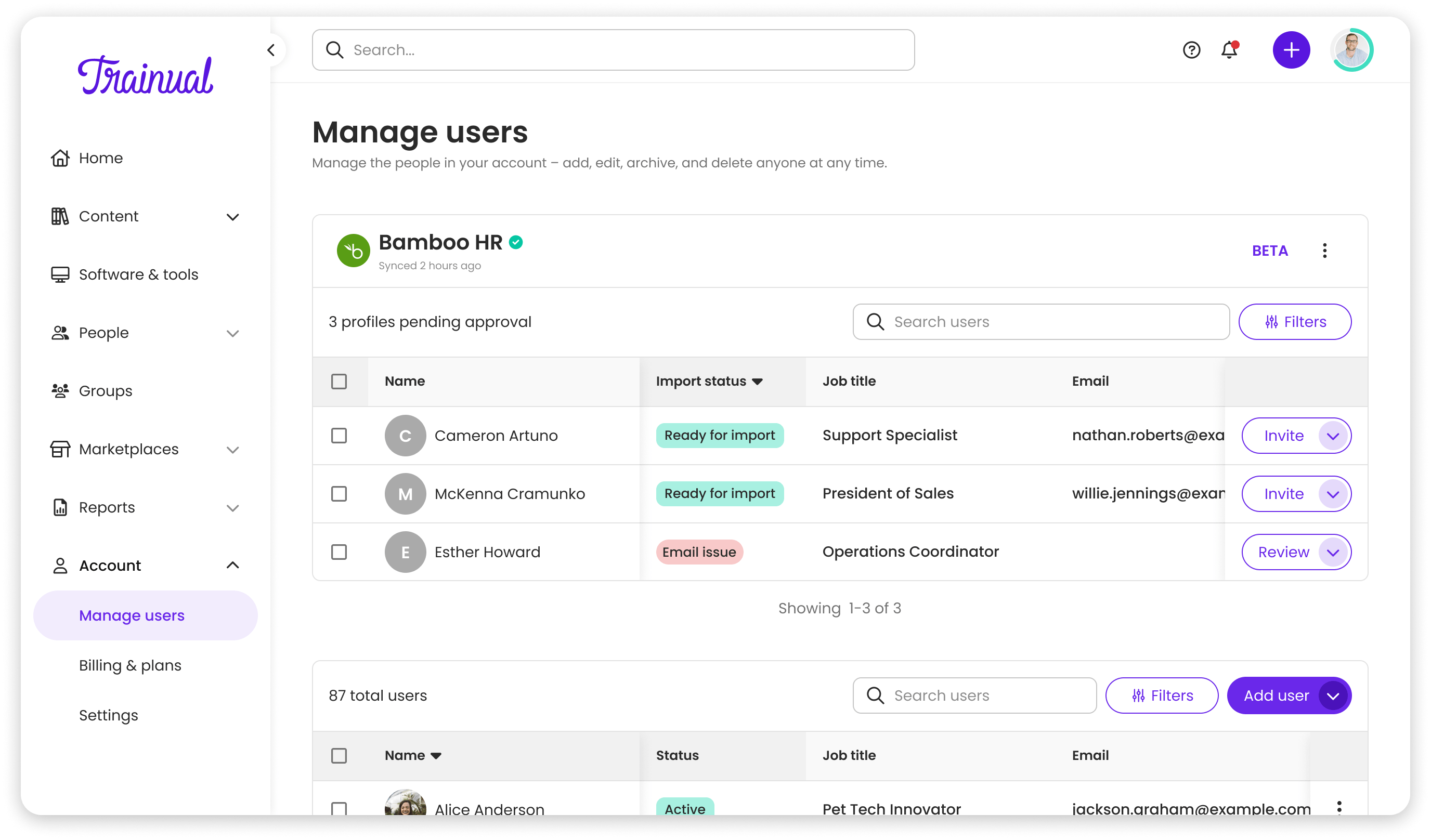
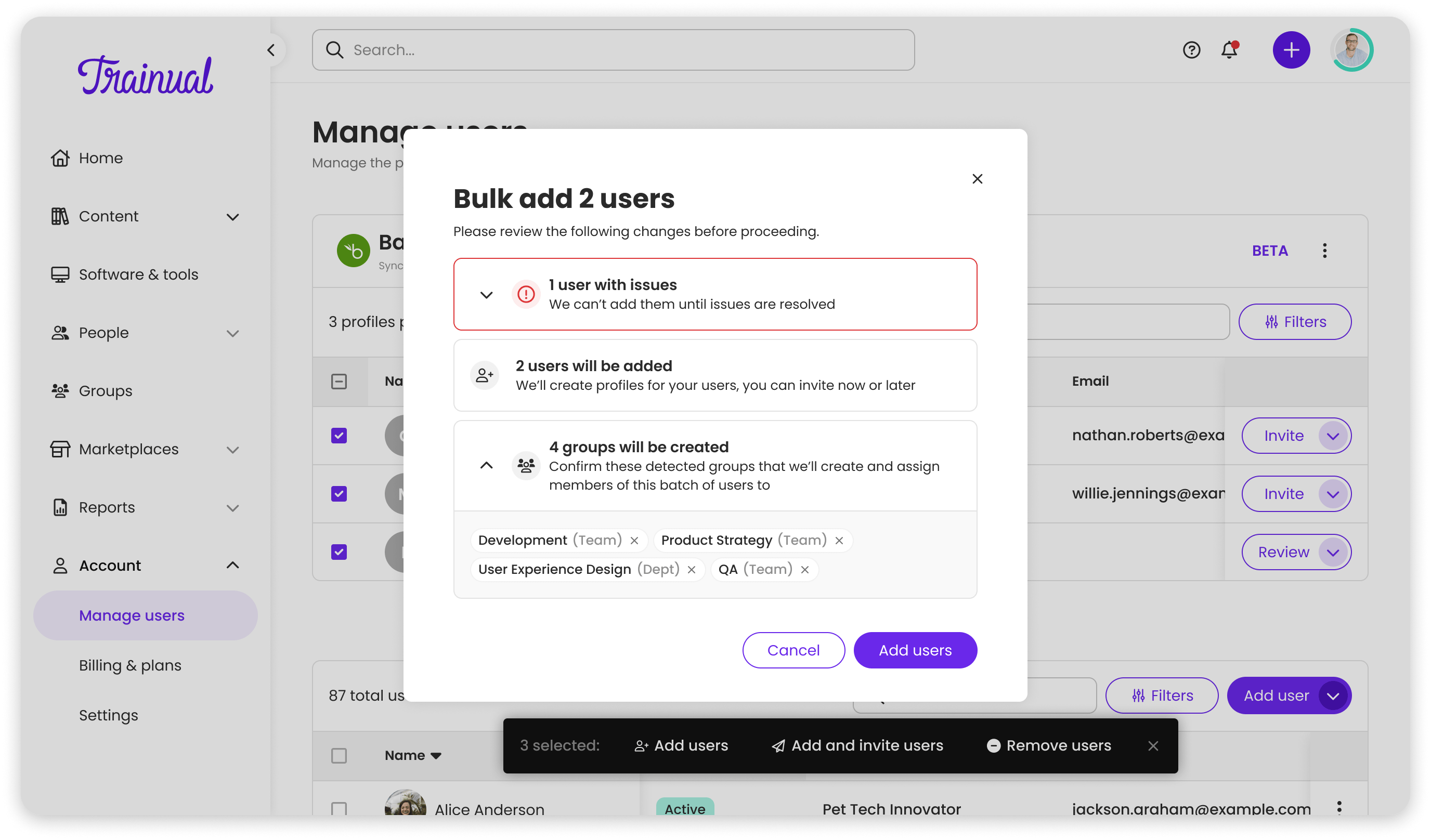
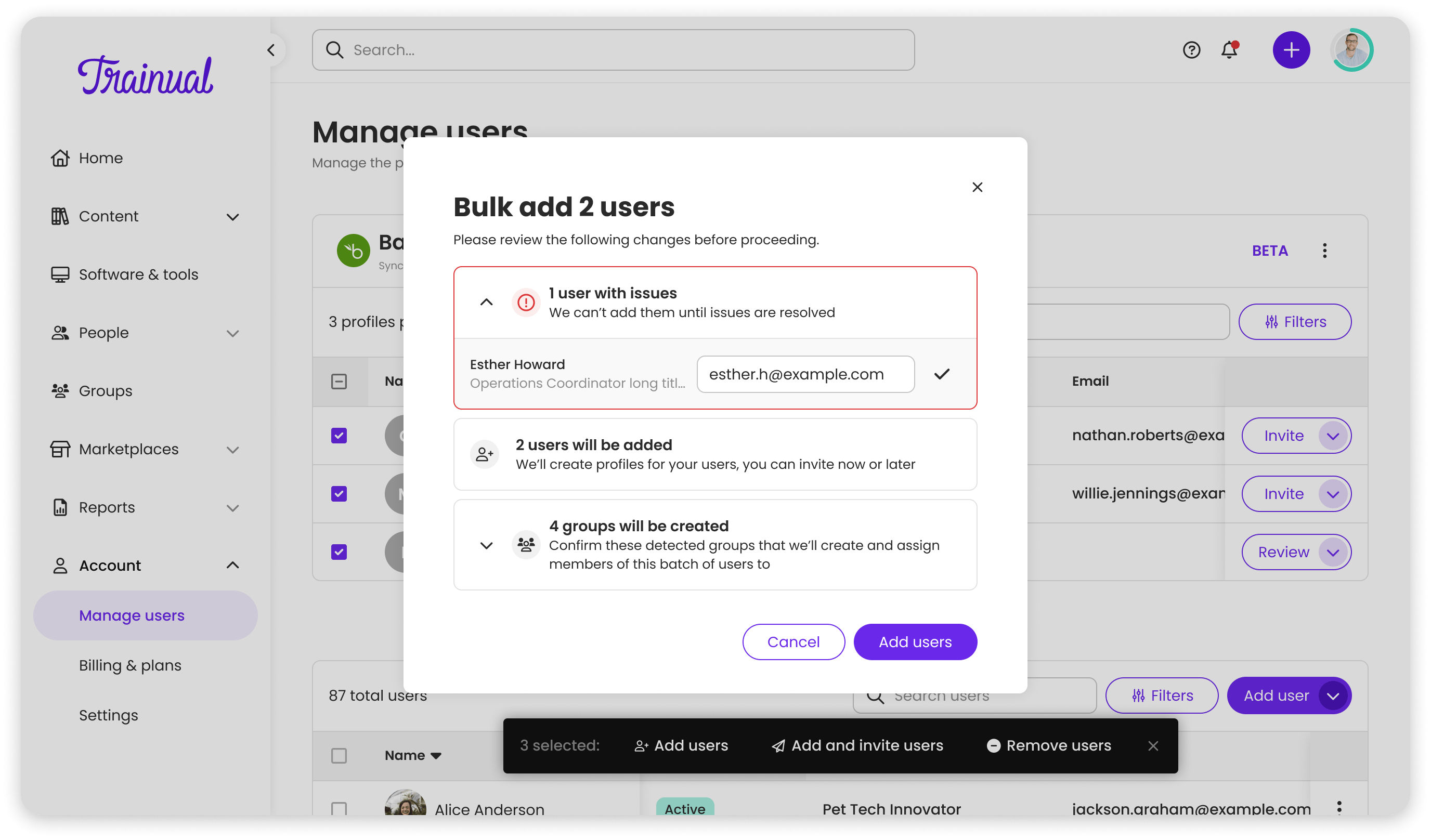

With the connection stable, Phase 1 gave admins real control over humans behind the data. Tabbed row structure, inline editing, auto-provisioning visibility, and a structured archival workflow when users left the company.
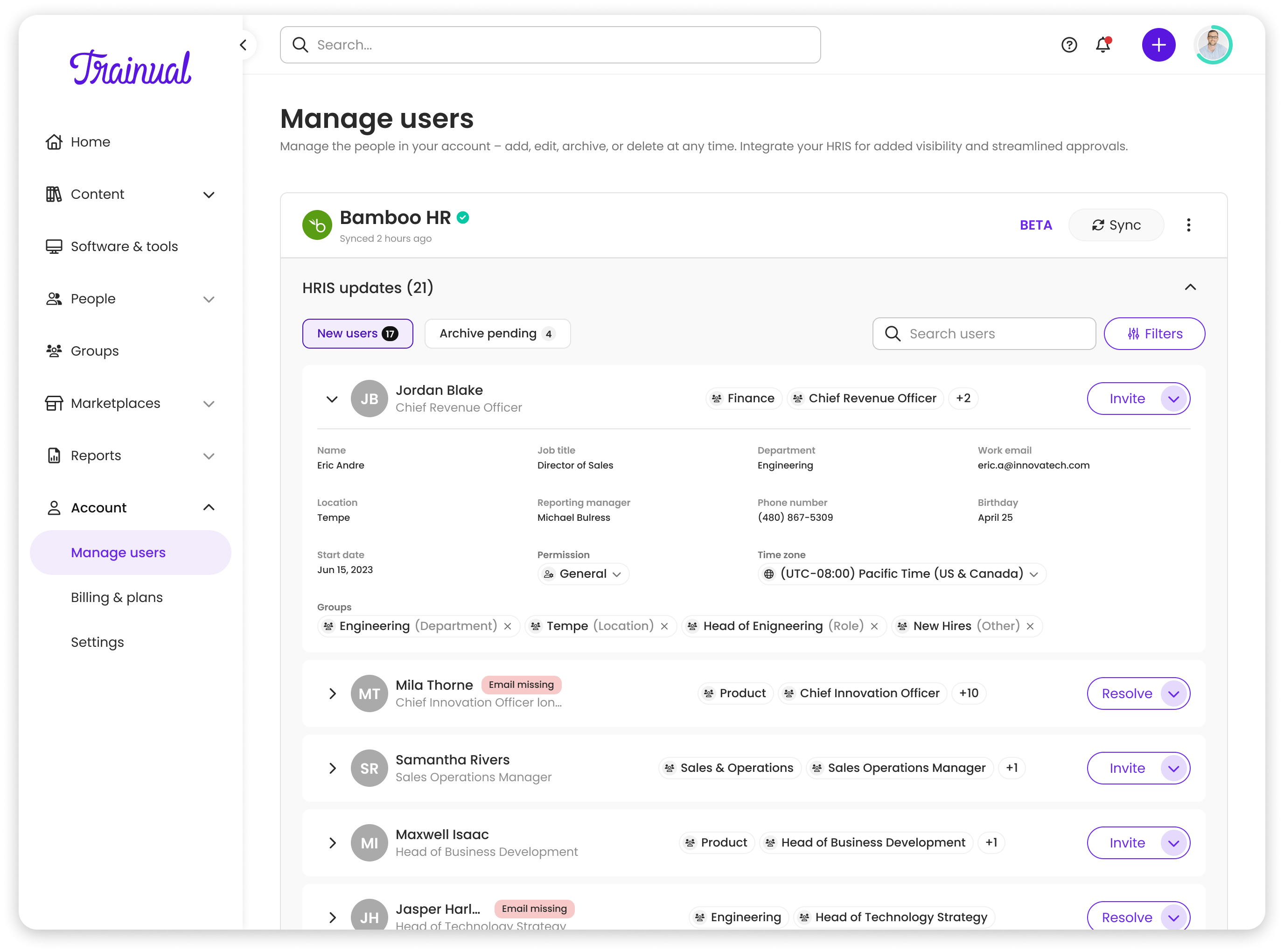
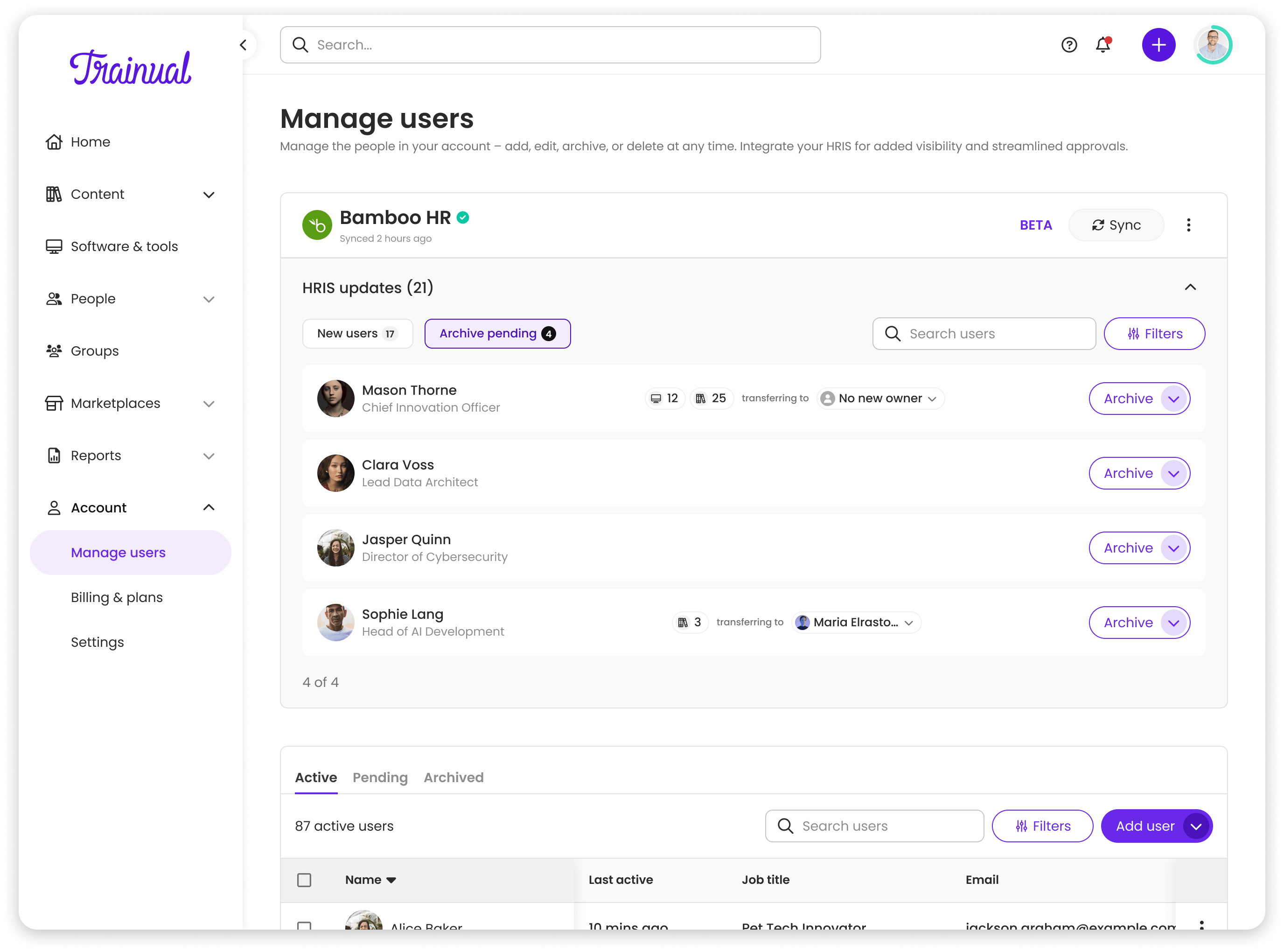
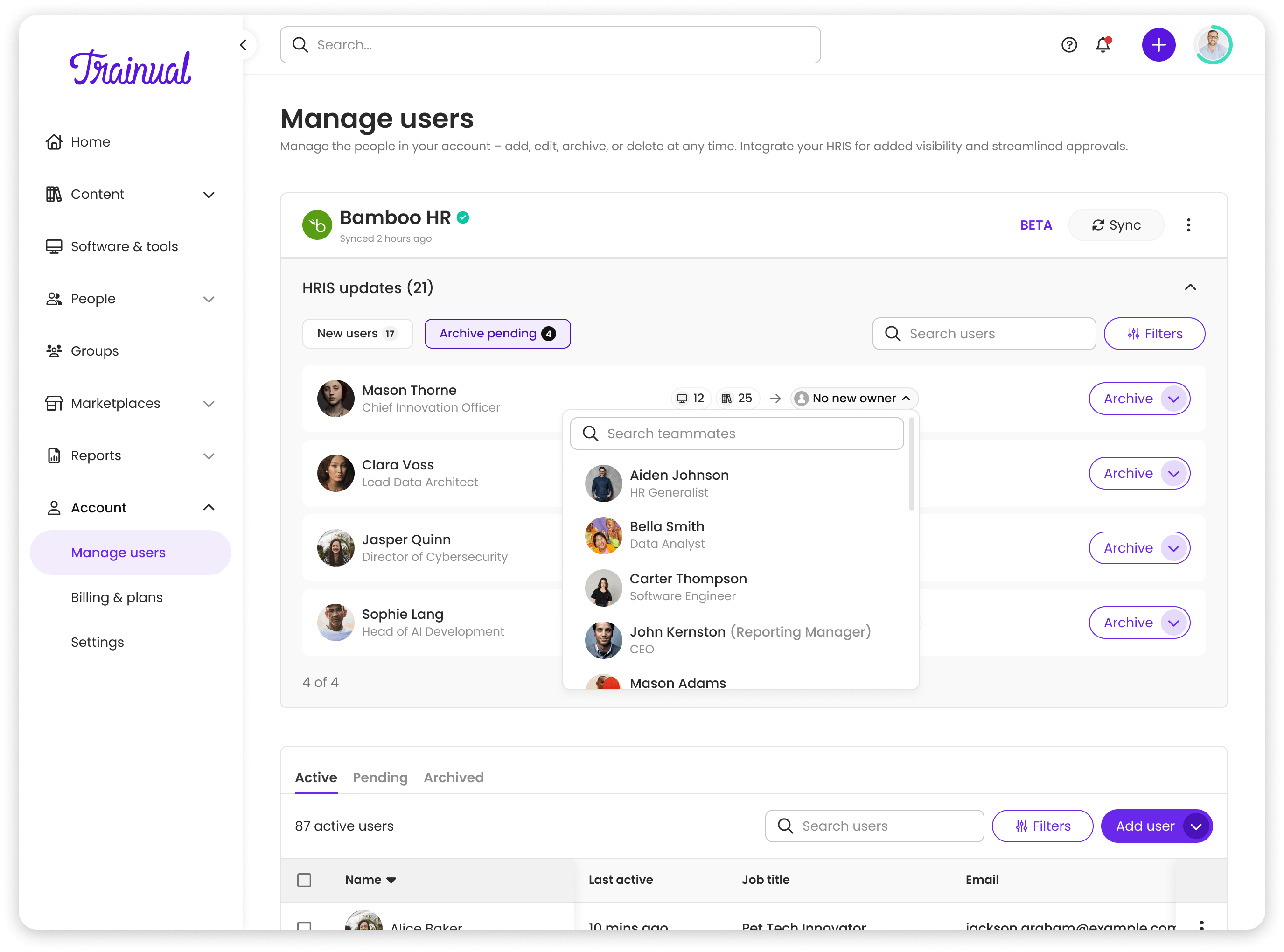
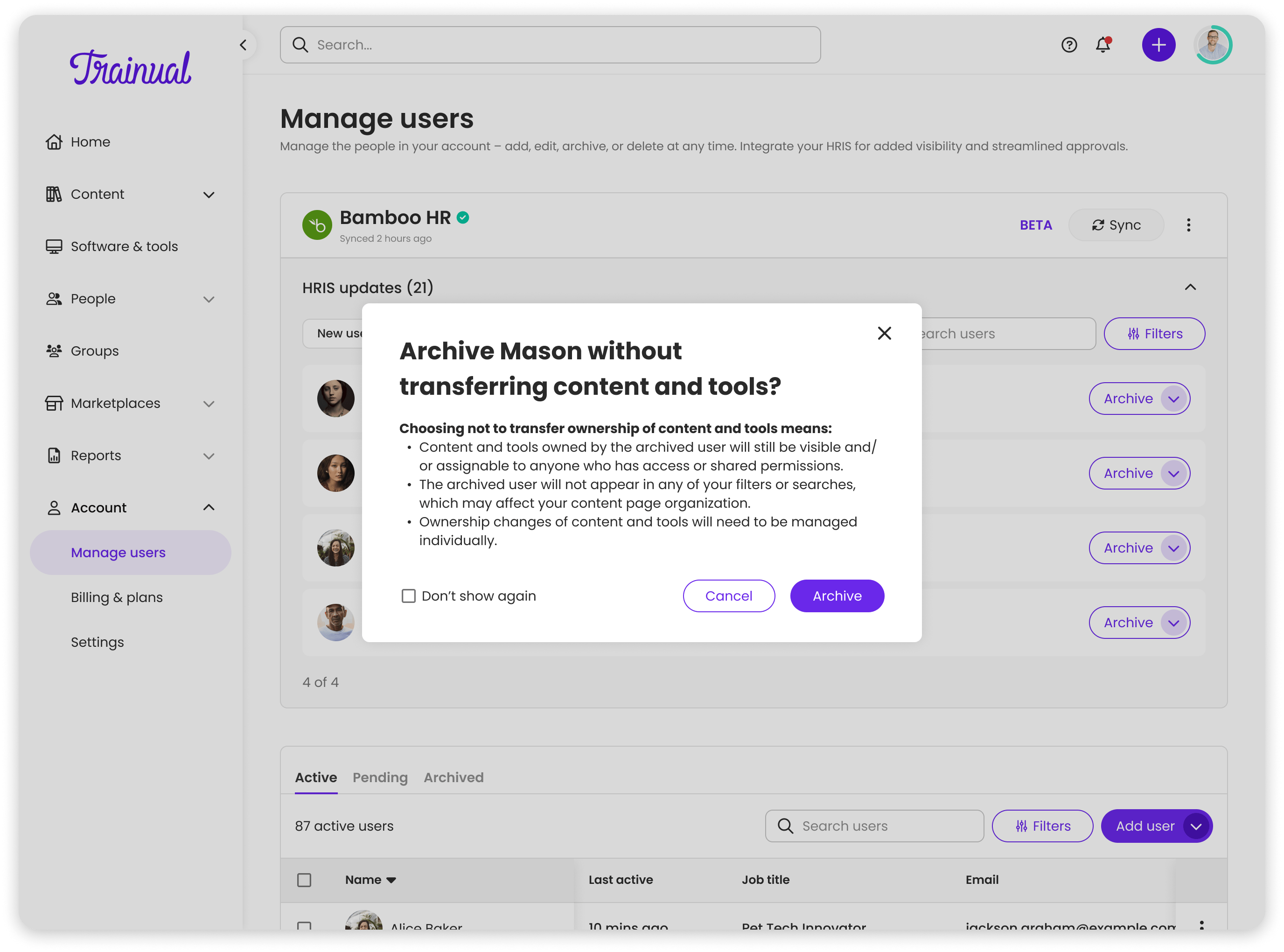
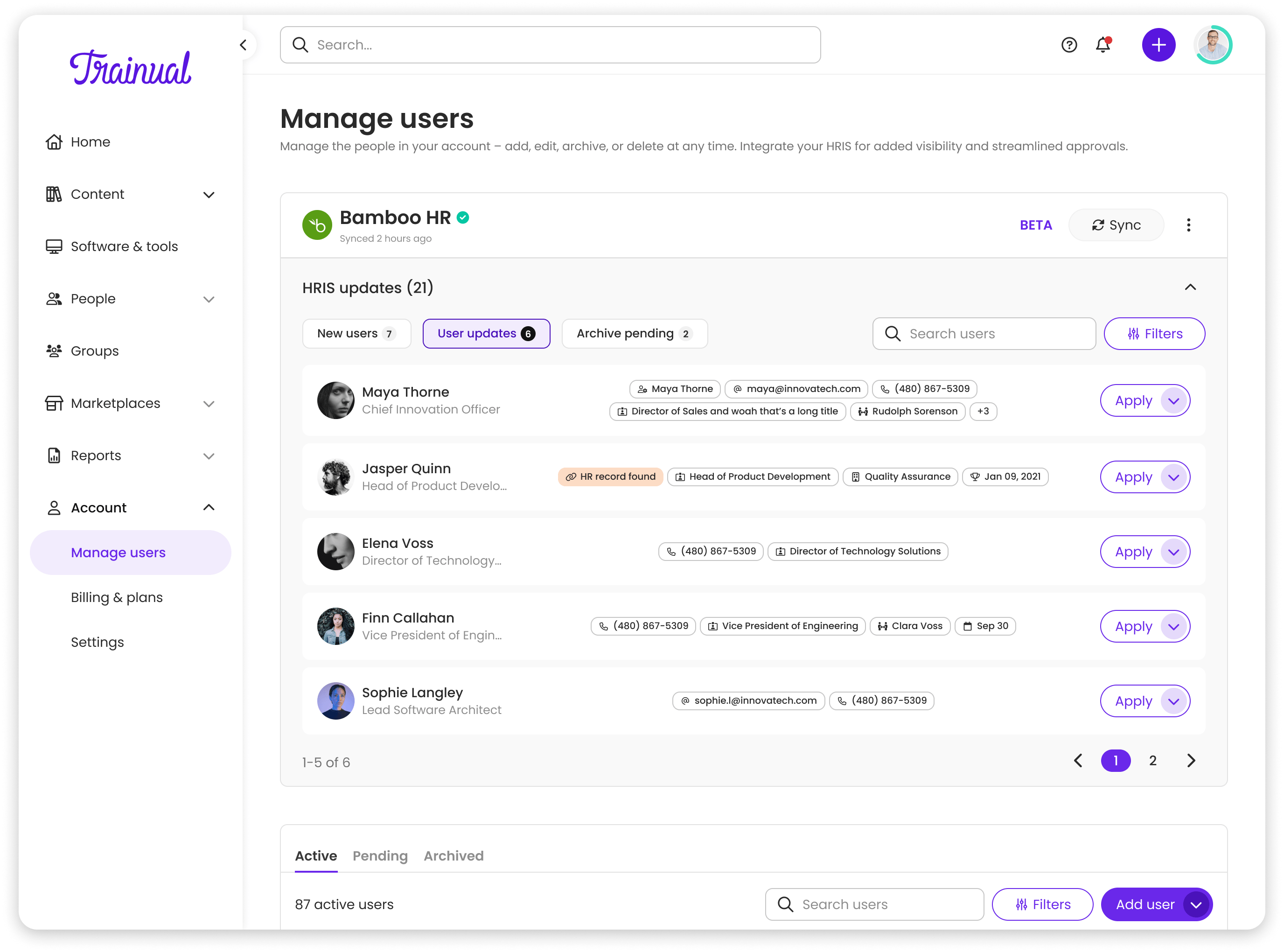
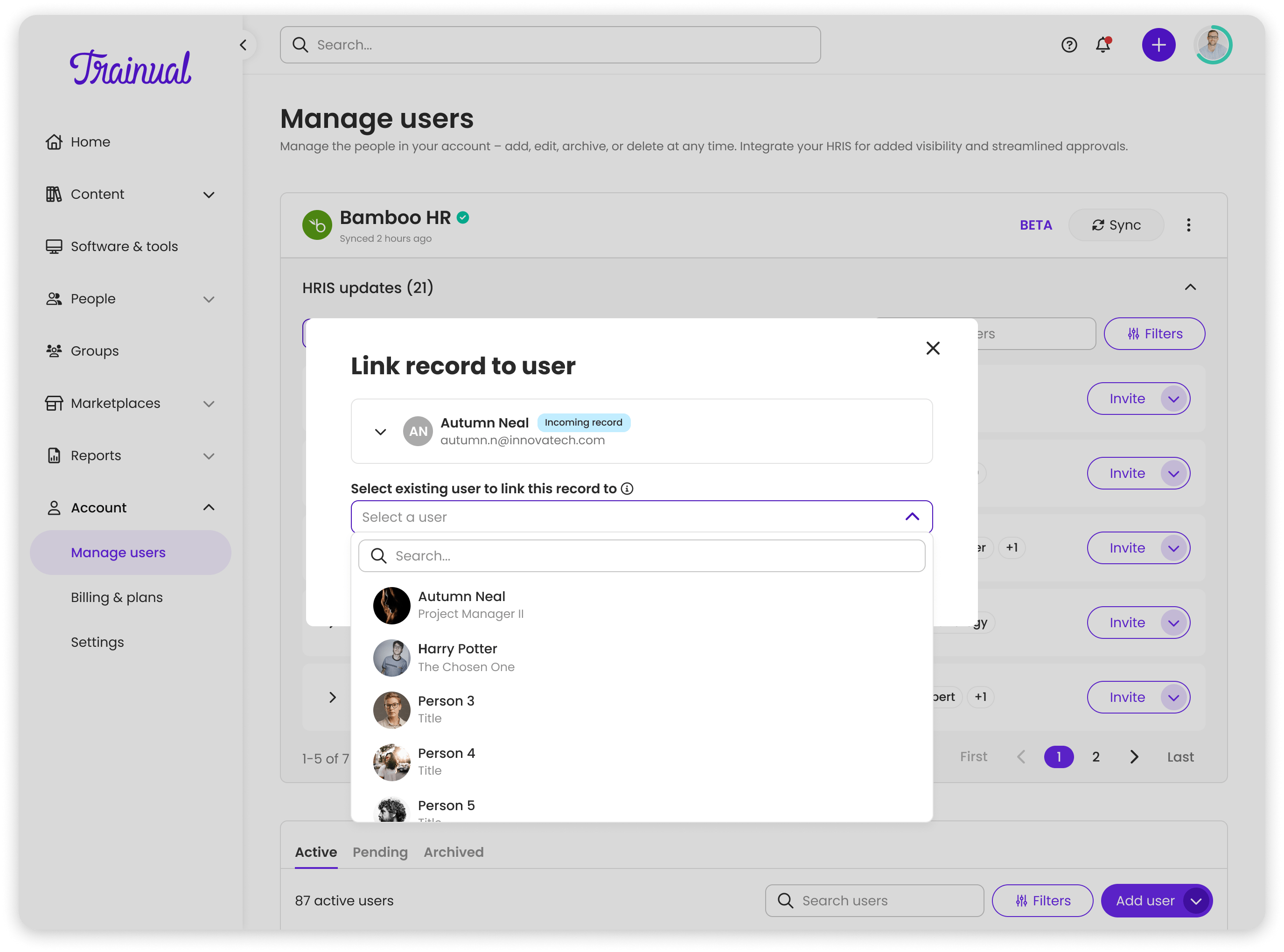

The hardest UX problem: what happens when data doesn't line up cleanly? Admins could now manually link mismatched records and approve or deny incoming updates field-by-field. A three-way decision pattern (Apply, Review, Decline) replaced a binary approve/reject.
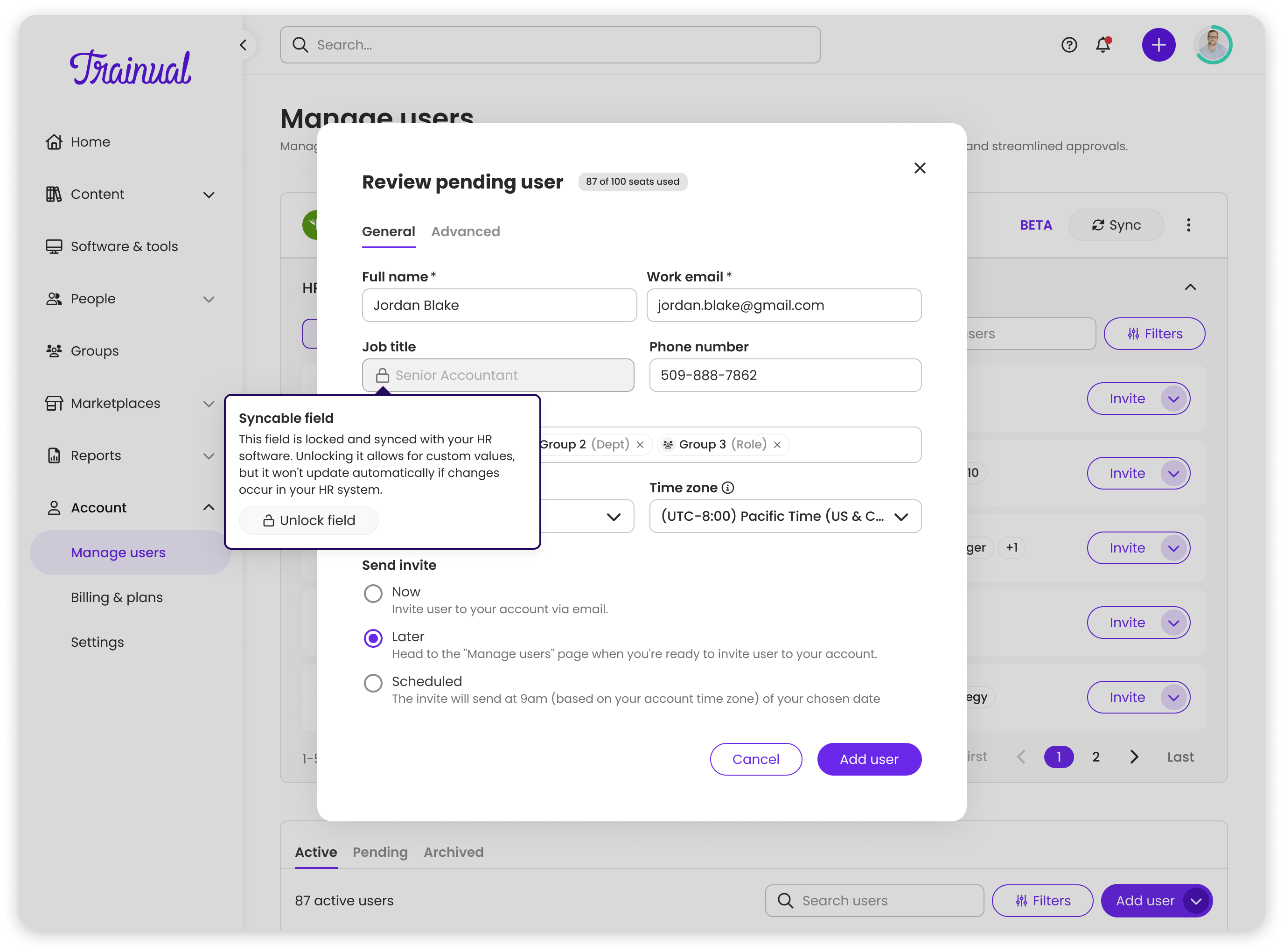
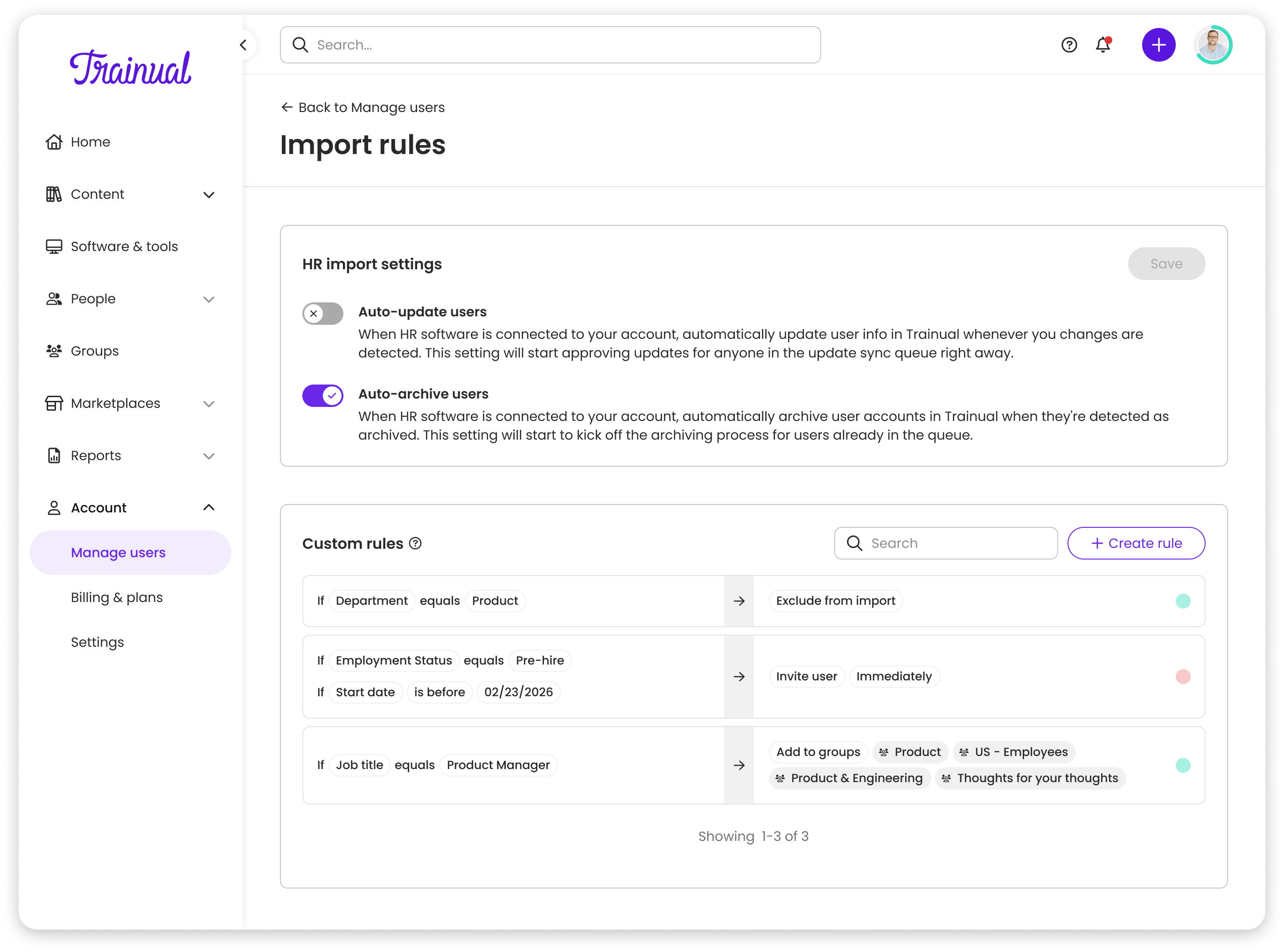
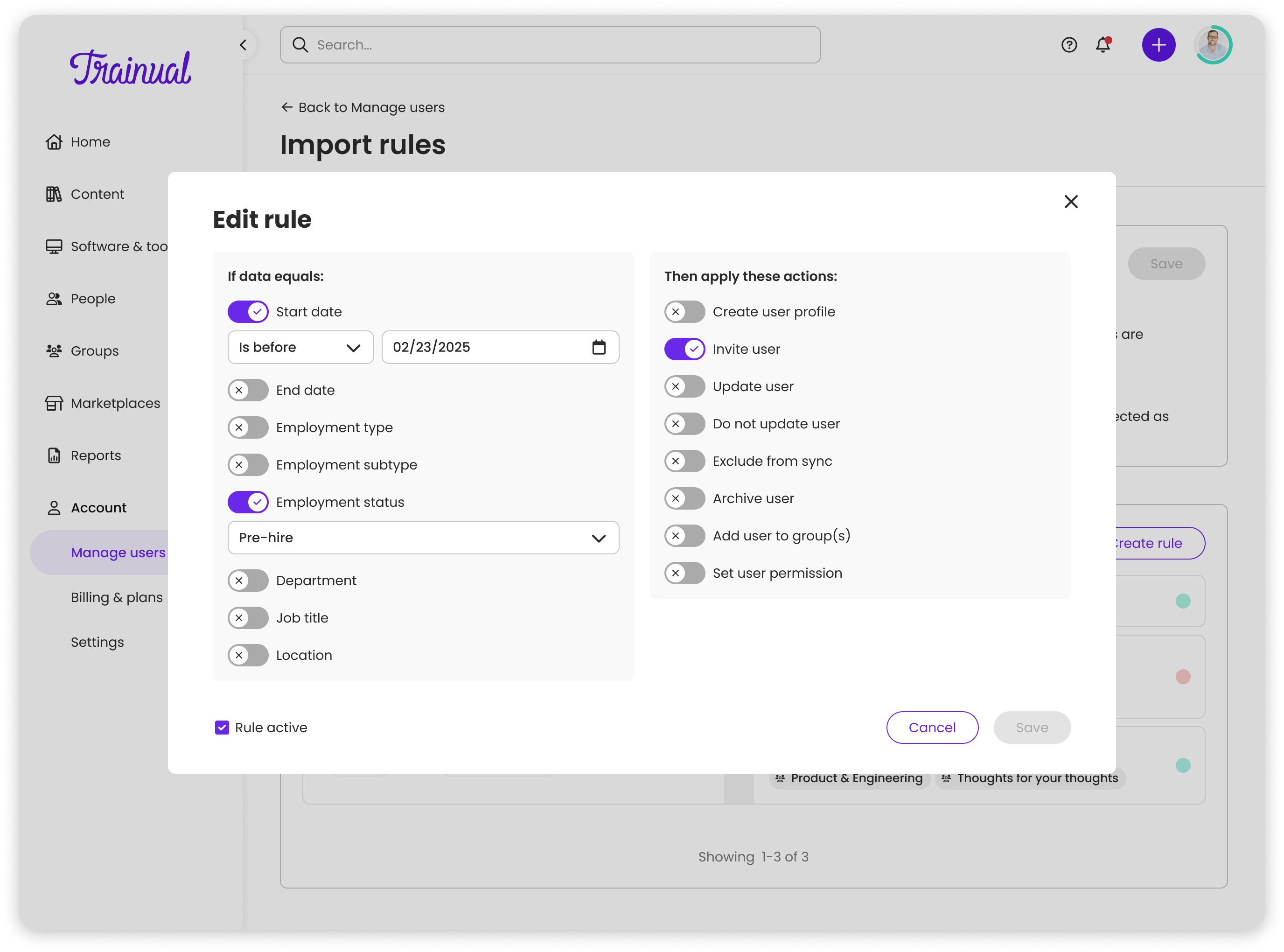
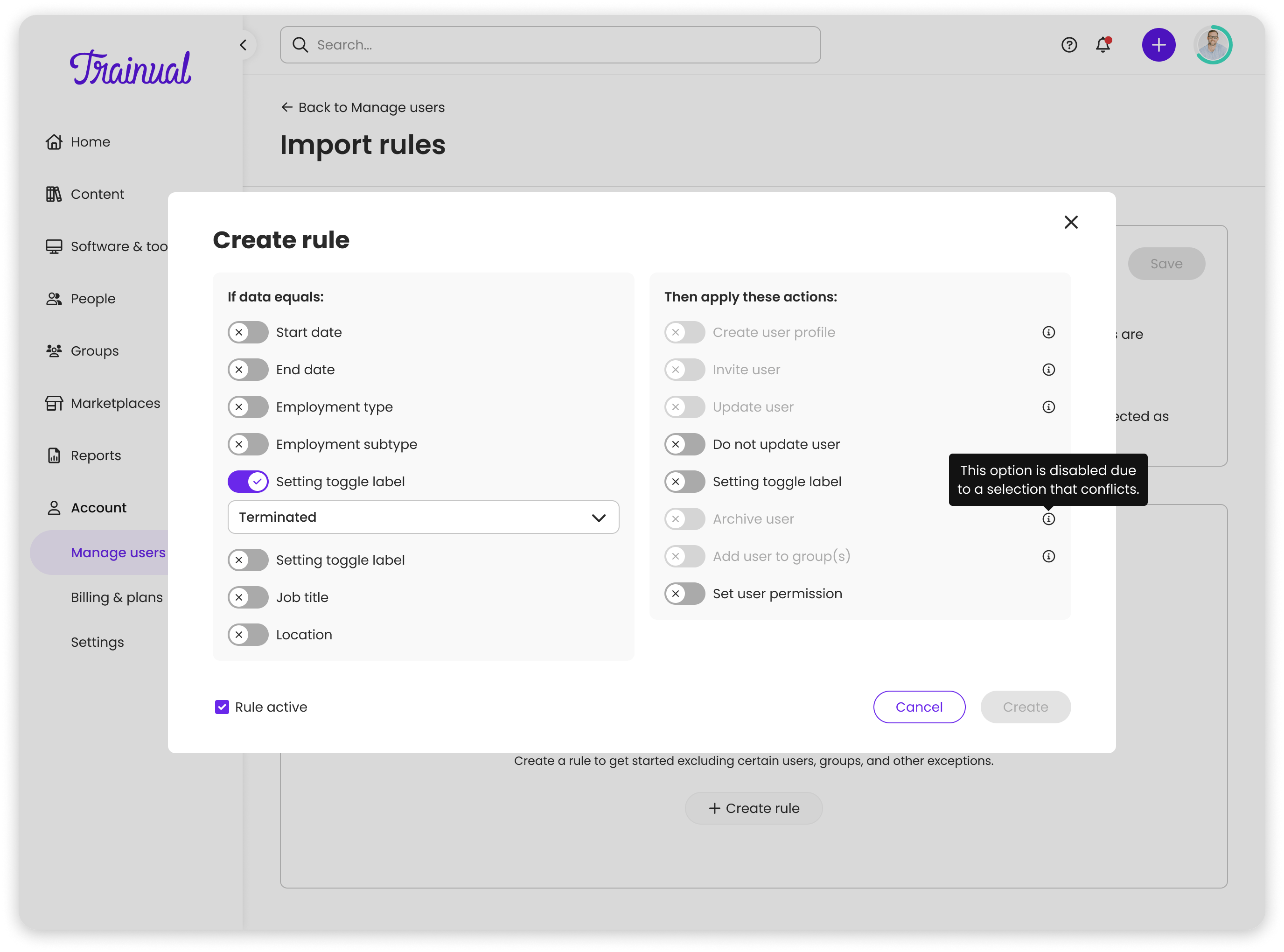
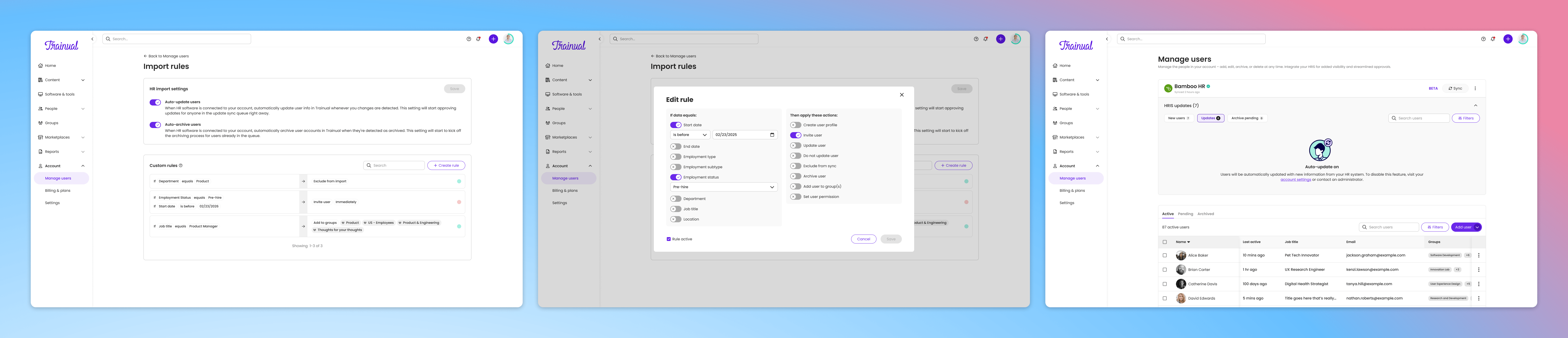
The final phase shifted from reactive to proactive. Admins could set conditional import rules: which users to pull in, which to ignore, what happens automatically. Cross-rule logic conflicts were surfaced inline with contextual copy guiding admins toward valid combinations.
Built to last
Measurable impact
What I'd do differently
- 1Remove until it breaks, then put it back. The instinct to surface everything is strong; the right call was to strip back until the design broke, then restore only what was essential.
- 2Ship phases, not slices. Each phase designed to stand alone as a meaningful improvement kept morale high and made stakeholder alignment easier at every step.
- 3Real data reveals real edge cases. Some of the most important design decisions only became visible after connecting a live HRIS; build in time for that kind of exploratory discovery.
- 4When a new feature bumps up against a core product pattern, that's worth a dedicated conversation early rather than designing around it.
 Lessen
 Veho
Veho